Heated mugs · Explainer
Ember Mug 3 explained: on-mug presets, battery life and dishwasher care
Ember Mug 3 is a battery-powered mug that keeps coffee or tea at a temperature you choose. Here is how its presets, lights, battery and cleaning work, based on what Ember publishes about it.
Published · Desk Ritual · Sources listed at the end

Five figures from Ember’s documentation
- 5temperature presets on the mug, from 125 °F to 145 °F
- 135 °Fthe setting out of the box (57.5 °C)
- ~80 minof warmth per charge for the 14 oz mug without its lid
- 3+ hrsper charge with the included sliding lid on
- 1 yrlimited warranty on the mug; the coaster is covered for life
Ember notes that battery time varies with the temperature setting, room conditions, lid use and the starting temperature of the drink.
Setting the temperature on the mug itself
Ember describes Mug 3 as its first mug with on-mug temperature control: a button on the underside. Tap it once and the row of five small lights below the main status light shows the current setting: one light is the lowest preset, five is the highest. Each tap after that moves to the next preset. The presets cycle, so if you go past the one you want, keep tapping until it comes back around.
- 1 light125 °F 52.5 °C
- 2 lights130 °F 55 °C
- 3 lights135 °F 57.5 °CDefault
- 4 lights140 °F 60 °C
- 5 lights145 °F 62.5 °C
The presets are fixed; Ember’s FAQ says they cannot be customized right now. For a value in between, the optional Ember app for iPhone and Android sets any temperature in the supported range. If the app setting is not one of the five presets, a single tap on the button shows the closest preset, and the app setting stays active until you tap again.
What the button does
- Tap (mug off)
- Turns the mug on.
- Hold 2 seconds
- Turns it off.
- Hold 5 seconds
- Starts pairing with the app; the main light blinks blue.
- Hold 7 seconds
- Factory reset; the main light blinks yellow. A paired mug may need pairing again afterwards.
Day to day, no phone is needed. Ember still suggests pairing, because the app adds fine temperature control, a custom LED color, battery details and automatic firmware updates.
Paid link
Check sizes and finishes on ember.com
One-time purchase from Ember. The price depends on the size and finish you pick, and tax and shipping are shown at checkout.
See Ember Mug 3 at EmberReading the status lights
The main status light sits below the Ember logo on the front of the mug. Ember’s help center lists six states:
| Main light | What it means |
|---|---|
| Pulsing white | Heating the drink toward your set temperature |
| Solid white | The drink has reached the set temperature |
| Solid green | Fully charged, seen while the mug is on the coaster |
| Solid red | Battery empty; place the mug on the coaster |
| Blinking blue | Pairing mode for the Ember app |
| Blinking yellow | Factory reset in progress |
The row of five small lights does two jobs. After a tap on the button it shows the temperature setting. While the mug sits on the coaster it shows the battery level: one light means 1 to 20 percent, and each extra light adds roughly another 20 percent. Once charging finishes, the small lights switch off and the main light turns solid green, which Ember describes as normal.
How long a charge keeps a drink warm
Ember gives two figures. Its FAQ says a full charge holds a drink at 135 °F for about 80 minutes in the 14 oz mug and about 90 minutes in the 10 oz mug. Its product page adds that the sliding lid, which comes in the box, stretches warmth past three hours on one charge. For all-day use, the mug can rest on its charging coaster between sips.

Results vary with the temperature setting, room conditions, lid use and how hot the drink is to begin with. The documentation linked below does not give a separate lidless figure for the 16 oz size.
Washing it, and what stays out of the water
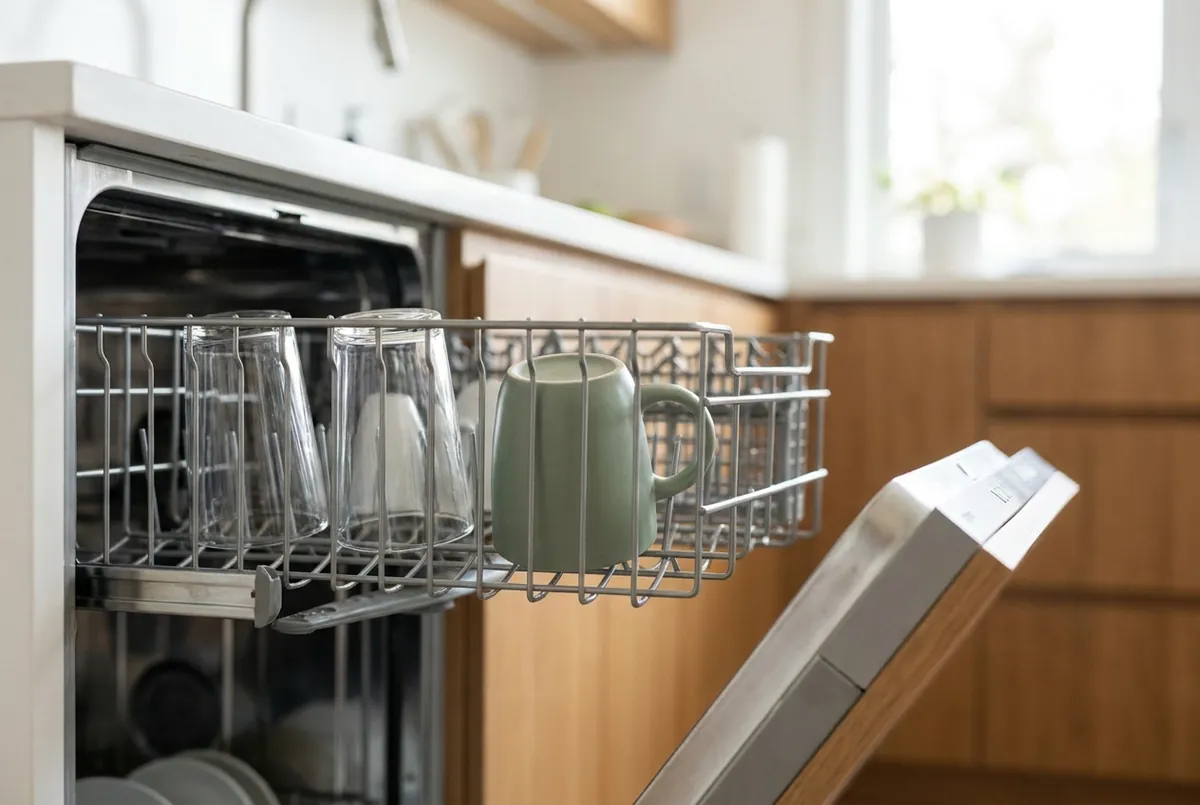
Mug 3 is the first Ember Mug rated for the dishwasher. Ember’s rule is top rack only; any wash or dry cycle is fine, heated dry included, so there is no need to dry it by hand afterwards.
Dishwasher
Mug and sliding lid
- Top rack only.
- Any wash or dry cycle, heated dry included.
- Customized or branded Ember mugs should be washed by hand to protect the coating and print.
By hand
Warm water, mild soap
- The mug can be submerged for hand washing; skip long soaks.
- Skip metal utensils and abrasive scrubbers, which can damage the coating.
Keep dry
Charging coaster
- Not dishwasher safe; do not immerse it in water.
- Unplug it, then wipe it with a clean, dry cloth.
- Dry the silver rings under the mug and the coaster pins before charging.
Two more rules from Ember: do not microwave the mug, because it is an electronic device, and keep it away from stovetops, ovens and other heat sources. The original Ember Mug and Mug 2 remain hand wash only, so the dishwasher rule applies to Mug 3 alone.
Paid link
Compare the 10, 14 and 16 oz versions
One-time purchase; Ember shows the price for your size and finish and calculates tax and shipping at checkout.
View Ember Mug 3 sizesWhat it will not do
Six limits that Ember’s own pages make clear:
- It does not chill drinks. Mug 3 is designed to hold hot drinks warm. For cold drinks Ember points to its Cold Tumbler, which uses insulation and does not cool electronically.
- Start with a hot drink. Mug 3 is built to maintain heat. Ember’s instructions start with freshly brewed coffee or tea, which the heater and sensors then keep at your setting; the highest on-mug preset is 145 °F.
- Five fixed presets on the mug. Temperatures between them need the app.
- A finite battery. Ember lists about 80 minutes (14 oz) or 90 minutes (10 oz) per full charge, and over three hours with the sliding lid on, before the mug needs its coaster again.
- A coaster that must stay dry. It is not dishwasher safe, and damage from water or the dishwasher is excluded from its lifetime coverage.
- Returns only when unused. Ember accepts unused mugs within 30 days of delivery. Mugs with signs of use, such as water marks, stains or scratches, are not refunded, and US and Canada returns carry a $10 restocking fee.
Sizes, materials and what comes in the box
Mug 3 comes in 10 oz, 14 oz and 16 oz. Ember suggests 10 oz for smaller pours, 14 oz for everyday coffee and 16 oz for a larger serving. Color choices differ by size; the product page lists what is offered at the moment.
- In the box
- Mug, sliding lid, charging coaster and charging cable, per Ember’s product page; the FAQ also lists a power adapter and a quick start guide
- Capacity, 14 oz
- 14 oz / 414 ml
- Material
- Stainless steel with a ceramic-coated interior
- On-mug range
- 125–145 °F in five presets
- App
- Optional, for iPhone and Android
- Older coasters
- Ember says Mug 3 works with any Ember coaster, including Mug 2 and first-generation models
- Warranty
- 1-year limited warranty on the mug for defects in materials and workmanship; lifetime coverage on the charging coaster
- Sold by
- Ember Technologies, Inc., on ember.com
Paid link
Read Ember’s full Mug 3 page
One-time purchase sold by Ember; the total, including tax and shipping, appears at checkout.
Go to the Ember Mug 3 pageQuestions to settle before buying
Do I need the app?
No. The button on the underside handles the five presets. The app is optional and adds fine temperature control, LED color, battery details and firmware updates.
Will a Mug 2 coaster charge Mug 3?
Ember says yes: Mug 3 works with its Mug 2 coasters and with first-generation ones.
How do I tell Mug 3 from an older Ember Mug?
Tap the button once. Mug 3 shows a row of small dot lights under the main light, and its charging rings underneath are silver and sit flush with the base.
What if it will not turn on or charge?
Ember’s checklist: the two coaster pins should sit at even heights, the power cable should be pushed fully into the coaster, and the rings and pins should be dry. A solid red light means an empty battery. Holding the button for about 7 seconds resets the mug.
Who sells it and handles support?
Ember Technologies, Inc. sells the mug on ember.com and handles orders, returns and warranty claims; its contact page lists the right team for each. Desk Ritual does not take orders and cannot process returns.
What does it cost?
Ember sets the price, which depends on size and finish and can change. The product page shows the current figure, and ember.com calculates tax and shipping at checkout.
Where these details come from
The specifications above come from Ember’s documentation as published on November 18, 2026. Ember can change its products, prices and pages, so check the originals:
- Ember Mug 3 product page ember.com
- How Ember technology works ember.com
- Ember Mug 3 frequently asked questions support.ember.com
- How to use the temperature controls on Ember Mug 3 support.ember.com
- What the lights on your Ember Mug 3 mean support.ember.com
- Cleaning and caring for your Ember Mug 3 support.ember.com
- Ember Mug 3 won’t turn on or charge support.ember.com
- Which Ember Mug do I have? support.ember.com
- Your Ember charging coaster is covered for life support.ember.com
- Return policy and US limited warranty ember.com
- Ember privacy policy, which names Ember Technologies, Inc. ember.com
- Contact Ember ember.com